
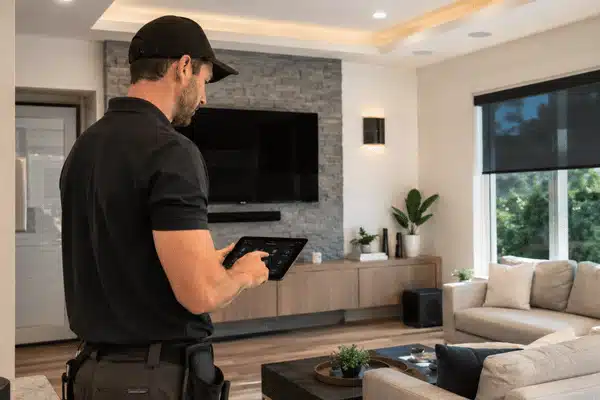
Professional smart home installation is worth it when your setup goes beyond one or two basic devices. DIY can work for smart bulbs, plugs, and simple locks. But once your home needs lighting, climate, audio, shades, cameras, and security to work together, a pro-built system is often the better choice.
Parks Associates reports that 52% of DIY smart home users face setup or connection issues. Statista also projects the global smart home market will reach $175.1 billion in 2026, showing how common these systems have become. As homes add more devices, simple setup matters more.
Table of Contents
Smart Homes Are Common, But Setup Is Getting Harder
Smart devices are now part of daily home life. Statista projects smart home household use will reach 82.1% worldwide in 2026. In the U.S., CEDIA says the professional smart home market is worth about $29 billion and served by about 20,000 integrators.
That growth comes with a trade-off. More devices mean more apps, passwords, hubs, updates, and Wi-Fi needs.
| Smart Home issue | Why It Matters |
|---|---|
| Too many apps | Family members may not know what to use |
| Weak Wi-Fi | Cameras, speakers, and controls may lag |
| Wiring limits | Doorbells, switches, and thermostats may need checks |
| Mixed brands | Devices may not work well together |
| No support plan | The homeowner must fix issues alone |
The real problem is not owning smart devices. It is making them work well as one system.
What DIY Smart Home Setup Does Well

DIY is still a good choice for small upgrades. It can save money when the project is simple.
DIY may work well when you:
- Want one or two smart plugs, bulbs, locks, or cameras
- Rent your home or plan to move soon
- Like setup work and app settings
- Do not need one system for the whole house
- Are fine using more than one app
A basic DIY setup may cost less at first. For example, a smart lock, thermostat, doorbell, and a few switches may cost around $900 to $1,300 in hardware. That does not include tools, time, wiring help, or service calls.
Some parts also need care. Google says high-voltage thermostat wiring should be handled by a trained pro. Ring asks users to check doorbell power before installation. Lutron says to hire an electrician if wiring work feels unsafe.
DIY is best when the risk is low and the setup is small.
What Professional Smart Home Installation Includes
Professional smart home installation gives you a planned system, not just a box of devices.
Home technology integrators look at your home layout, wiring, Wi-Fi, rooms, and daily habits. Then they build a setup that is easier to use and easier to support.
A professional project may include:
- System design based on your rooms and needs
- Network planning for stronger Wi-Fi and wired links
- Wiring checks for switches, doorbells, shades, and speakers
- Device setup for lighting, climate, cameras, audio, and more
- Scenes and automations for daily routines
- Testing before the final handoff
- Family training so everyone knows how to use it
- Support when devices need updates or service
CEDIA says planned wiring, such as Cat6, Cat6A, and Power over Ethernet, can give smart homes better speed, uptime, and long-term use than wireless-only setups.
This is where professional home automation systems stand out. They are built around one main control plan.
DIY vs Professional Smart Home Installation
| Factor | DIY Setup | Professional Install |
|---|---|---|
| Best for | One or two devices | Multi-room systems |
| Upfront cost | Lower hardware cost | Higher planned cost |
| Setup time | Often a weekend or more | Managed by the installer |
| Apps | Often several apps | Usually, one main interface |
| Wiring | The homeowner checks it | Pro checks and installs it |
| Network | Basic home Wi-Fi | Planned network setup |
| Support | Forums and help pages | Installer support |
| Long-term use | Can get messy | Easier to service |
DIY wins on cost for simple projects. Professional smart home installation wins on ease, support, and long-term use.
When to Hire Home Automation System Installers
When your home automation system needs to operate in multiple rooms, hire an installation professional.
When is a pro a better fit?
- Lighting, audio, climate, drapes, and security should all cooperate.
- You are installing cameras, speakers, keypads, and wired doorbells.
- In certain rooms, your Wi-Fi is already having trouble.
- Your family desires straightforward controls.
- Clear records and clean wiring are what you want.
- After setup, you want assistance.
- Future upgrades and resale are important to you.
Control4 is one common option for larger projects. It can bring lighting, sound, climate, security, and shades into one interface. With the right design, many in-home controls can still work during internet outages, though remote access may not.
My Custom Integrators designs and installs Control4 systems for homes that need this kind of setup. Their team handles layout, setup, testing, training, and support.
How Smart Home Setup Can Affect Resale Value
Smart home features can help buyers see a home as more useful and ready for daily life. Zillow says 36% of buyers rate smart home features as highly important in their search.
Still, the setup matters. A clean, documented system is easier to explain than a mix of apps and brands. Buyers need to know what stays, how it works, and how to reset access.
The FTC also advises care when buying or selling a smart home. Devices should be reset, privacy settings checked, and old user access removed.
A pro-installed system can make this handoff much easier.
Is professional smart home installation worth it for a small home?
Yes, if you want several systems to work together. DIY is fine for one or two devices. A small home can still need strong Wi-Fi, simple controls, and clean wiring. A pro setup helps when the whole family needs to use it.
How much does a Control4 smart home installation cost?
My Custom Integrators lists starter projects around $2,000 to $5,000. Whole-home systems may range from $10,000 to $30,000. The final cost depends on rooms, devices, wiring, audio, video, and network needs. A custom quote is the best way to plan the budget.
Can I add Control4 to an existing home?
Yes. Many Control4 projects are added to homes that are already built. Home technology integrators check your wiring, network, layout, and current devices first. They can then design a system around what you already have.
Will a smart home work if the internet goes down?
Some parts can still work if the system is designed for local control. Keypads, lighting scenes, and in-home controls may keep working. Remote phone access may stop until internet service returns. Your installer can explain what will and will not work.
What is the difference between smart devices and home automation?
Smart devices are single items, such as a lock, bulb, or thermostat. Home automation connects devices so they work as one system. Professional home automation systems use one control plan for many parts of the home. This can reduce app clutter and make daily use easier.
When should I choose DIY instead of hiring a pro?
Choose DIY for simple, low-risk devices. Smart plugs, bulbs, and basic cameras are often good DIY projects. DIY also works well for renters or short-term setups. Hire a pro when wiring, Wi-Fi, safety, or whole-home control matters.
A DIY smart home setup works well for simple upgrades. But when your home needs many devices to work together, professional smart home installation gives you a cleaner, safer, and easier system. You get better planning, fewer apps, stronger support, and a setup your whole family can use.
Ready to stop managing apps and start using one smart home system? Get a custom Control4 quote from My Custom Integrators today.