
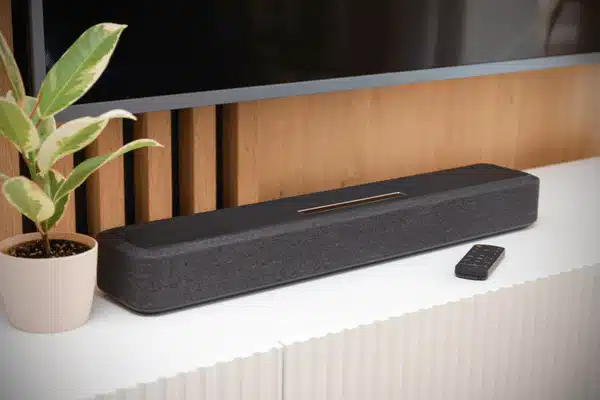
Choosing between wired vs wireless speakers isn’t always straightforward. Both have their strengths, and neither works best for every room. A wired setup might suit your home theater, while wireless speakers could be better for listening to music around the house. It depends on what you need and how much work you’re willing to put into the setup.
Table of Contents
Sound Quality: The Core Difference
A wired speaker connects straight to your amp or receiver. There’s no wireless signal involved, which helps keep sound steady during movies and music.
Wireless speakers have come a long way. Many Wi-Fi models now play high-quality audio, making them a good fit for everyday music.
Here’s how they compare:
| Feature | Wired Speakers | Wireless Speakers |
| Sound | Stable connection | Depends on the connection |
| Setup | Requires speaker cables | Usually easier to install |
| Placement | Fixed after installation | Easier to move |
| Best use | Home theaters | Music throughout the home |
Neither type guarantees better sound. Speaker quality, room layout, and placement also make a difference.
Latency and Signal Issues

Have you ever watched a movie where the dialogue doesn’t quite match the actors’ lips? That’s audio lag.
Bluetooth speakers sometimes have this problem because the sound takes time to process and reach the speaker. You won’t always notice it while playing music, but it can become distracting during videos or games.
A wired connection avoids most wireless delays. Wi-Fi systems can also keep speakers in sync, although network issues may still interrupt playback.
Installation and Setup
Wireless speakers are usually easy to get running. Plug them in, open the app, and follow the setup steps.
Wired speakers need more work, especially when cables must run behind walls.
If you’re planning a DIY in-wall speaker installation, here’s what to do:
- Plan your layout. Mark each speaker location and where the receiver will sit.
- Inspect the walls first. Find the studs and check for hidden pipes or electrical wiring before drilling.
- Pick the right cable. Use CL2 or CL3-rated speaker wire approved for in-wall use.
- Measure cable runs. Allow extra length for corners and connections.
- Cut the openings. Check the wall space before cutting full speaker holes.
- Run the cables. Use fish tape to guide wires through safe wall or ceiling paths.
- Connect and test. Match the speaker terminals, check the sound, and secure each speaker.
Keep speaker cables separate from household electrical wiring. Any work near electrical circuits or fire-rated walls may need a qualified installer.
Placement and Design Freedom
Want to move your speakers from the living room to the patio? Wireless models make that much easier.
With wired speakers, you’ll need to settle on their location before running the cables. The extra planning can pay off, though. In-wall and ceiling models blend into the room without taking up floor space.
Both options work well when you plan around furniture, outlets, and listening spots.
Power and Connectivity
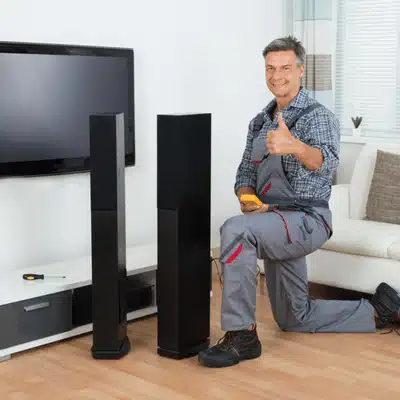
Most wired speakers need an amplifier or AV receiver. Wireless speakers usually have built-in amps but still need power or charging.
You can also mix both types in one home.
For example, some Yamaha receivers support MusicCast Surround with approved wireless rear speakers. Other receivers may need a wireless audio kit connected to their surround pre-outs.
Before buying extra speakers, take a look at your receiver. Does it support wireless rear channels, or will you need an adapter? Also, check whether the rear speakers have their own amps. Passive speakers need a separate power source.
Regular Bluetooth pairing doesn’t mean two devices can handle rear surround channels.
Modern wireless speakers can also work with home control systems, making it easier to play music across several rooms.
Money Matters and Maintenance

Wired speakers may cost less on their own, but the cables and installation add to the bill.
Wireless models avoid much of that work, though each speaker may cost more.
According to Angi’s 2026 cost guide, professional home theater wiring usually runs between $1,000 and $2,500.
| Wiring Project | Estimated Cost |
| Small room, 5–6 speakers | 700–1,000 |
| Medium room, 7–9 speakers | 1,000–1,800 |
| Large room, 9–12+ speakers | 1,800–2,500+ |
These room-based figures are rough planning estimates, not fixed rates. A simple job may cost less, while running cables through finished walls can raise the price. Ask for a quote that covers labor, wiring, and any wall repairs.
Maintenance is another factor. Wired speakers rarely need much care, while wireless models may require updates or network fixes.
Durability and Upgrades
You don’t necessarily need new speakers when you replace your receiver. Well-kept passive speakers can stay in use for years, even as the rest of your equipment changes.
Wireless speakers have more built-in parts. Their batteries, apps, and network features can affect how long they remain useful.
If you enjoy changing your audio gear, a wired setup gives you more options. You can upgrade individual parts without replacing the entire system.
Range and Interference Challenges
Wireless speakers don’t always get along with thick walls and crowded Wi-Fi networks. If the speaker is too far from your router, you might hear the music stop and start.
Bluetooth speakers also have range limits, which vary by device and surroundings.
If sound keeps dropping, try moving the speaker closer or improving Wi-Fi coverage. Wired speakers don’t face those same wireless signal problems.
The Audio Experience and Customization
Think about where you spend the most time listening.
A wired surround system makes sense for movie nights and gaming. Wireless speakers are handy for music while cooking, working, or relaxing outside.
Some homes use wired speakers in the media room and wireless audio elsewhere. You don’t have to choose one type for every space.
Making Your Choice
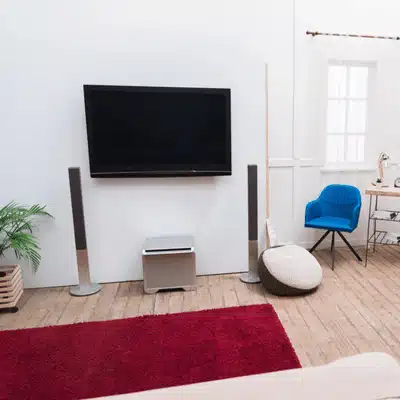
Start with how you use each room.
Wired speakers make sense if:
- You’re building a home theater that will stay in one place.
- You want speakers tucked into the walls or ceiling.
- Sound delays would bother you during movies or games.
- You plan to replace or upgrade parts later.
Wireless speakers are worth a look if:
- You’d rather avoid running cables through walls.
- You move your speakers from room to room.
- You mainly listen to music around the house.
- You like controlling playback from your phone.
For larger homes, a mixed setup may be more practical.
Take Action on Your Audio Setup
Not sure which setup will work in your home? Custom Integrators can help plan speaker placement, wiring, and system controls.
We install home audio systems across Central Texas, including Waco, Temple, Belton, and Killeen. Contact Custom Integrators at (254) 235-4116 to request a free estimate.
Which Specific Brands Make the Best Custom Wired Speakers?
Bowers & Wilkins is a good place to start if you’re looking at speakers for a home theater or music room. Episode has options made for built-in systems, while Stealth Acoustics makes speakers that can be hidden behind finished surfaces. Before choosing a brand, think about your room size and where the speakers will go.
How Much Does Professional Whole-Home Audio Wiring Cost?
For a single home theater, Angi puts typical wiring costs at around $1,000 to $2,500 in 2026. Running speaker cables across an entire house is a different job and can cost considerably more. The price depends on how many rooms need wiring, how easily installers can reach them, and whether any walls need repairs.
Can You Connect Wireless Rear Speakers to a Wired AV Receiver?
Yes, but you’ll need compatible equipment. Certain Yamaha MusicCast receivers can use approved wireless rear speakers, while other receivers may need an audio transmitter kit. Check the receiver’s outputs and speaker power needs before buying anything.
What Causes Bluetooth Audio Lag and How Do You Fix It?
The delay usually comes from the time your devices spend processing and sending sound. If you’re watching TV, check whether its settings let you adjust the audio timing. Moving the devices closer may help with connection issues, but a wired link is often the safer choice for gaming.
Is 14-Gauge Wire Better Than 16-Gauge for In-Wall Speakers?
Not necessarily. For a short speaker cable run, 16-gauge wire may be all you need. If the cable has to travel farther, 14-gauge wire can help keep power loss down. Make sure the cable is rated for in-wall use before installing it.
Can Wired and Wireless Speakers Play Music Together?
They can, provided the equipment supports it. For instance, a multi-room audio system may let you play the same playlist through ceiling speakers and wireless units in another room. Getting them to work together for surround sound takes more planning because the audio needs to stay in sync.
There’s no reason every room in your house needs the same speaker setup. You might prefer wired surround sound in the living room and a wireless speaker in the kitchen. Think about where you listen, how often you move things around, and what you want to spend. That should make the decision much easier.