
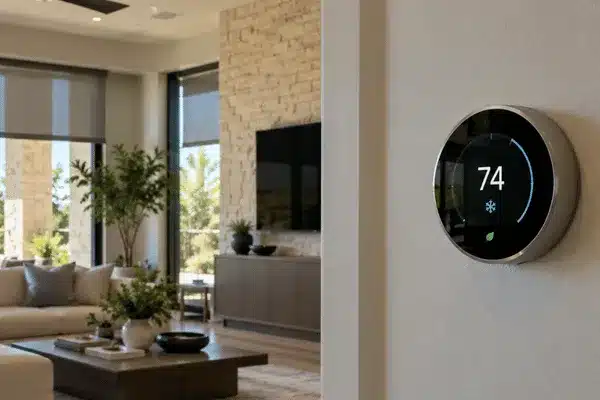
Texas summers put a heavy load on home cooling systems. For the average American household, almost half of the annual energy bill goes to heating and cooling, according to ENERGY STAR.
Smart thermostat installation can help reduce waste by changing temperatures around work, sleep, and travel. With Control4, climate settings can also work with shades, lighting, and room controls.
Table of Contents
What Is Smart Thermostat Installation?
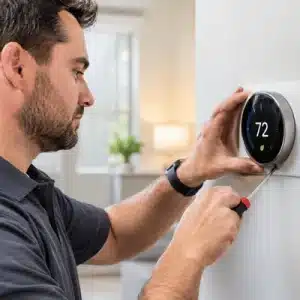
Installing a smart thermostat takes more than swapping one wall control for another. The thermostat has to match the HVAC equipment already in the home.
A good setup starts with a few basic checks:
- Check the HVAC system. Confirm the equipment type, stages, wiring, and controls.
- Choose the right thermostat. The model must support the features the system already uses.
- Pick the right location. Control4 advises against mounting its Aprilaire-branded thermostat or remote sensor behind doors, in corners, in direct sunlight, or near lights and appliances that give off heat. Those spots can throw off temperature readings.
- Connect and test it. Heating, cooling, fan, and humidity functions should all work correctly.
Set useful schedules. Temperatures should match the way the household actually lives.
This matters even more when the thermostat will connect to a larger Control4 system. For example, Control4 notes that its wireless thermostat by Aprilaire is not a Zigbee routing node. Its product guidance calls for installing Control4 light switches, dimmers, or other repeating devices first, then identifying the thermostat near its final installation point. Following that order helps the wireless network perform reliably.
How Hot Do Central Texas Summers Get?
National Weather Service records for Waco show why cooling costs add up in this part of the state. Based on Waco records going back to 1902, the average first 100°F day arrives around July 4, and the average last one comes around August 30.
Some years run far longer. Waco logged 90 days of 100°F or higher in 2011, 68 in 2022, and 66 in 2023. In 2024, Waco reached 100°F in five separate months, from June through October, and hit 100°F as late as October 15.
When temperatures remain this high for weeks, an air conditioner may spend hours running each day. Schedules, away settings, and automation can help limit unnecessary cooling and make a noticeable difference.
Do Smart Thermostats Save Money in Texas?
Many homeowners ask, “Do smart thermostats save money?” They can, especially when they cut the cooling while nobody is home.
A smart thermostat does not change the rated efficiency of the AC unit. Instead, it changes when the system runs and how long it stays on.
ENERGY STAR reports that certified smart thermostats save about 8% on heating and cooling costs on average. To earn the label, smart thermostats must show savings based on field data from real homes, not only lab tests. Actual savings depend on the home, weather, power rates, and current habits.
Potential savings can come from:
- Away settings that raise the temperature when no one is home.
- Sleep schedules that adjust temperatures overnight.
- Remote control for making changes when plans shift during the day.
- Room sensors on systems that support them.
- Vacation settings for longer periods away from home.
There is also a simple way to estimate the value.
5 Ways Smart Thermostats Can Reduce Cooling Waste
Away Settings
Raise cooling temperatures when nobody is home.
Sleep Schedules
Adjust temperatures automatically at bedtime.
Remote Control
Change settings when daily plans shift.
Room Sensors
Use compatible sensors for better temperature control.
Vacation Mode
Reduce unnecessary cooling during longer trips.
Energy saved in kWh × electric rate per kWh = estimated savings.
If a home cuts 80 kWh of cooling at $0.15 per kWh, that works out to about $12.
A 2025 study in the American Economic Journal: Applied Economics found that automated thermostats reduced AC use during expensive afternoon hours under time-based electricity pricing. Researchers followed more than 2,100 Toronto-area households with smart thermostats. Homes using the automated feature cooled earlier during lower-cost morning hours, then used roughly 60% less air conditioning during peak pricing periods. Most participants rarely changed the automated settings, even when indoor temperatures rose slightly.
How Does Control4 Climate Control Work?
Control4 can bring climate control into the same system as lighting, shades, security, and home entertainment. That makes smart thermostat integration useful for homes with several connected features.
One established model, the C4-THERM, was developed with Aprilaire. It uses Zigbee to connect with Control4 and supports several HVAC types, including forced-air, geothermal, and dual-fuel systems. With compatible equipment, it can control heating, cooling, ventilation, humidification, and dehumidification. It can run on 24VAC power or batteries, and when both are available, the batteries act as backup power.
Control4 can also work with supported third-party thermostats through drivers. The right choice depends on the HVAC equipment and the rest of the home system.
| Feature | Standard Smart Thermostat | Control4 Smart Thermostat Integration |
| Scheduling | Yes | Yes, with scenes and routines |
| Remote control | Usually through its own app | App, keypad, touchscreen, or remote |
| Room sensors | Depends on the model | Supported sensors can join the system |
| Shades and lighting | Depends on integrations | Can work together in Control4 scenes |
| HVAC zones | Depends on the HVAC setup | Compatible zones can be managed together |
Homeowners can learn more about Control4 smart home automation when planning a larger connected system.
How Can Smart Home Energy Management Reduce Waste?
Smart home energy management works best when several parts of the home respond together.
For example, climate control can work with motorized shades during a hot afternoon. Closing the shades can reduce solar heat gain through the windows while the thermostat keeps the room near its chosen temperature.
According to DOE, about 76% of the sunlight that falls on standard double-pane windows enters the home as heat during the cooling season.
Automation also solves a habit problem. A DOE study found that 75% of residential window coverings stay in the same position every day. Shades that open and close on a schedule, or as part of a Control4 scene, do not depend on someone remembering to adjust them.
The Lower Colorado River Authority has reported periods of upper-90s and triple-digit heat across Central Texas. Conditions like these can keep air conditioners running for long stretches.
A Typical Workday in Waco or Temple
A household can use an Away scene after everyone leaves for work or school.
The system can raise the cooling setpoint and switch off selected lights or TVs. Before the family returns, the thermostat can bring the home back to a comfortable temperature.
A Sunny Room in Belton
West-facing rooms can become noticeably warmer during the afternoon.
Motorized shades can close during the hottest hours of the day. The thermostat continues handling the cooling, while the shades help reduce the direct solar heat coming through the glass.
Custom Integrators also offers climate control, lighting, shades, and other smart home products and services.
Is Your HVAC System a Good Fit?
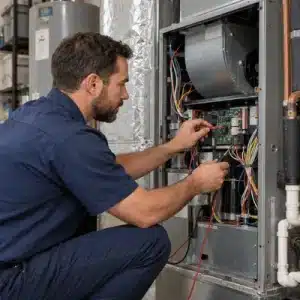
Not every smart thermostat works with every heating and cooling system.
ENERGY STAR notes that some high-efficiency equipment performs best with the manufacturer’s own controller. That is why compatibility should be checked before installation.
Important items include:
- HVAC type: Standard AC, heat pump, geothermal, or dual-fuel.
- Number of stages: The thermostat must support the installed system.
- Humidity controls: Both the thermostat and HVAC system must support the feature.
- Existing zones: A thermostat cannot create ducts or dampers that are not already there.
- Power and wiring: Some thermostats need extra wiring or a separate power option.
- Connection type: Systems may use Zigbee, Wi-Fi, Bluetooth, or another connection.
- Control4 support: Third-party thermostats need the correct Control4 driver.
A proper installation keeps the HVAC features the home already depends on.
Is a smart thermostat worth it in Texas?
For many homes, yes. Long cooling seasons create more chances to cut waste. Homes that cool empty rooms for hours may see the biggest benefit.
Do smart thermostats save money on every bill?
No fixed savings apply to every home. Weather, electric rates, equipment, and daily habits all affect the result. ENERGY STAR figures are averages across many homes.
Can a Control4 thermostat work with my HVAC system?
A Control4 thermostat can work with many common HVAC systems. The exact model still needs to match the equipment, wiring, and controls in the home.
Can one smart thermostat create several HVAC zones?
No. A thermostat cannot add new ducts, dampers, or separate HVAC capacity. It can control zones that already exist in a compatible system.
Does a Control4 thermostat need Wi-Fi?
Not always. The Aprilaire-based C4-THERM uses Zigbee for Control4 communication. Other models may use Wi-Fi or another connection method.
Can smart shades help reduce cooling use?
Yes. Closing shades can reduce solar heat entering through sunny windows. The effect depends on the window direction, glass, shade material, and weather.
Can smart thermostats work with utility energy programs?
Some can. ENERGY STAR-certified thermostats may support certain utility demand-response or energy-saving programs. Eligibility depends on the local electric provider.
Smart thermostats work best when they match both the HVAC system and the household routine. Control4 adds another layer by connecting climate control with shades, lighting, sensors, and other supported devices. Get a quote from Custom Integrators for smart thermostat installation and Control4 climate control in Central Texas.