
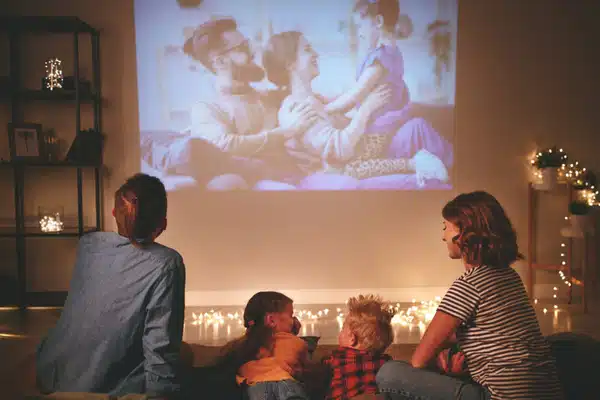
A big screen can make movie night feel special. But when comparing a projector vs TV, size isn’t the only thing that matters. Room lighting, sound, picture quality, and cost all play a part.
A TV is often easier to live with, especially in bright rooms. A projector gives you that big-screen feel, but it takes more planning. Here’s what to know before spending your money.
Table of Contents
Screen Size and Immersion
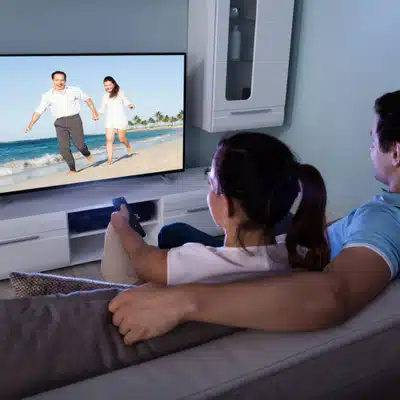
Want a screen that takes up most of your wall? That’s where projectors shine. Getting a 100- to 150-inch picture is much easier with a projector than a TV.
A 120-inch screen gives you 44% more viewing area than a 100-inch screen. That’s a big difference when watching movies or sports.
Before buying, check how far your projector needs to sit from the screen.
- Find the projector’s throw ratio in its manual.
- Measure your screen’s width, not its diagonal size.
- Multiply the width by the throw ratio to find the lens distance.
For example, a 120-inch screen measures about 8.72 feet wide. A projector with a 1.2–1.5 throw ratio needs roughly 10.5–13.1 feet of space.
Picture Quality: Brightness, Color, and Contrast
TVs have the edge when there’s plenty of daylight. OLED and mini-LED models produce bright, sharp images without needing a dark room.
Projectors can look great, too. The trick is controlling the light around them.
An ambient light rejecting (ALR) screen helps keep the picture from looking washed out.
- Angular ALR screens: Work with compatible standard-throw projectors and help reduce light from certain angles.
- Lenticular ALR screens: Often used with ultra-short-throw projectors to reject overhead light.
- Matte white screens: A good fit for dark rooms where stray light isn’t an issue.
Even a good ALR screen won’t fix strong sunlight hitting the screen. Curtains or blinds still help.
Installation, Setup, and Placement
A TV doesn’t usually take much work to mount. Projectors are a different story. You need to work out where the screen and projector will go before putting holes in anything.
Check these measurements first:
- Screen height: Sit where you normally watch TV. If you have to tilt your head back, the screen is too high.
- Throw distance: Check the projector’s manual to see how much room the lens needs.
- Power outlets and cable routes
- Ceiling mounts and speaker placement
Ultra-short-throw projectors can sit close to the wall. They’re handy when ceiling mounting isn’t an option.
Smart Features, Connectivity, and Audio
Most TVs have streaming apps ready to use. Some projectors do, too, while others need a streaming device.
Sound is another thing to think about. Built-in projector speakers work for basic viewing, but they rarely match a full speaker system.
Got a few devices and surround speakers to connect? An AV receiver can handle those connections.
Gaming Performance

Ever tried playing a racing game on a screen that covers most of the wall? It’s a lot of fun, especially when you’re playing with friends.
Online matches are another matter. Even a small delay between pressing a button and seeing a response can get frustrating. Check the input lag and refresh rate before buying. Many TVs support 4K at 120Hz, though projector options vary.
Cost Comparison
Home theater costs depend on the equipment, room layout, and work involved.
For Texas homeowners, here’s what a few common setups might cost in 2026.
| Setup | Estimated Cost |
| Basic TV media room | 3,000–8,000 |
| Projector media room | 10,000–30,000 |
| Dedicated home theater | 25,000–60,000+ |
Both the gear and installation work are included in these estimates.
Running cables behind the walls takes more work than leaving them exposed. Built-in seats can raise the price, too. Have the installer list these costs separately before you agree to anything.
Portability, Maintenance, and Lifespan
You can take a small projector from the living room to the bedroom. Try doing that with a wall-mounted TV!
Lamp projectors also need replacement bulbs now and then. Laser models don’t have that same upkeep.
For example, Epson rates the LS12000 laser light source for up to 20,000 hours. Actual lifespan depends on use and settings.
Choosing the Right Option
Projector vs TV: Choose Your Perfect Home Theater
Match your display to your viewing habits and room setup
Choose Projector If:
Choose TV If:
Think about when and where you’ll use your screen.
A bright family room usually suits a TV. For a dark room set aside for movies, a projector can give you a much larger picture.
Neither is the right choice for every home.
Projector vs TV: Choose Your Perfect Home Theater
The better option depends on your space and how you spend your time watching.
Choose Projector If:
- You want a screen larger than 100 inches.
- You enjoy movie nights in a dark room.
- You have enough room for proper screen placement.
- You’d love watching films on a wall-sized screen.
Choose TV If:
You’d rather skip the extra wiring and mounting work.
Sunlight comes through your windows most of the day.
Sports and regular TV are part of your daily routine.
You spend hours playing online games.
Transform Your Home Theater Today

Not sure what will fit your room? My Custom Integrators helps Central Texas homeowners plan their screens, sound systems, and home theater setups.
Get a Quote and find out what works for your space and budget.
Do projectors work well in rooms with windows?
Yes, but you’ll need to control the daylight. Blinds, curtains, and an ALR screen can help keep the picture clear. If sunlight fills the room most of the day, a TV may be the better choice.
How long do projector bulbs last compared to TVs?
Projector lamps don’t all wear out at the same rate. Some last just a few thousand hours, while others run much longer before you need a new bulb. Laser projectors may reach around 20,000 hours, and TVs don’t have projector bulbs to replace.
Can I use a projector for gaming?
Of course! Racing games can look fantastic on a screen that fills the wall. If you play competitive games, though, check the input lag and refresh rate before buying.
What Is the Best Ambient Light Rejecting Screen for Projectors?
It depends on your projector and where the room lights are placed. Elite Screens CineGrey 3D and Screen Innovations Black Diamond are options for compatible standard-throw setups. Ultra-short-throw projectors need a screen designed for their light angle, such as a compatible lenticular ALR screen.
What Are the Best 4K Laser Projector Brands for 2024?
Epson, Sony, JVC, and Hisense were worth looking at in 2024. The Epson LS12000, Sony VPL-XW5000ES, and Hisense PX3-PRO were among the available choices. Check how each model produces its 4K image, since some use pixel shifting rather than native 4K panels.
How Much Does a Professional Home Theater Installation Cost in Texas?
Already have a TV and speakers? A basic room setup with new equipment and installation might cost 3,000–8,000. If you’re starting with a projector, screen, and surround speakers, plan for around 10,000–30,000. Building a theater with custom seats, lighting, and sound treatment is a bigger job, with budgets reaching 25,000–60,000 or more.
Do I Need an External AV Receiver for a Projector Setup?
Not always, especially if you’re using a powered soundbar. An AV receiver becomes useful when you want several speakers or multiple devices connected. It’s also a good choice for Dolby Atmos and other surround sound setups that use passive speakers.
What Is the Ideal Throw Distance for a 120-Inch Projector Screen?
First, look up the throw ratio for the projector you’re buying. A 120-inch screen is about 8.72 feet wide, so a 1.2–1.5 ratio calls for 10.5–13.1 feet. Ultra-short-throw models sit much closer, so follow the distance chart for your exact model.
Before choosing between a projector vs TV, look at how you actually use your living room. Do you leave the curtains open while watching shows? Or do you usually turn off the lights and settle in for a film? A TV is easier to watch during the day, but a projector can make those late-night movies feel like a trip to the cinema.