
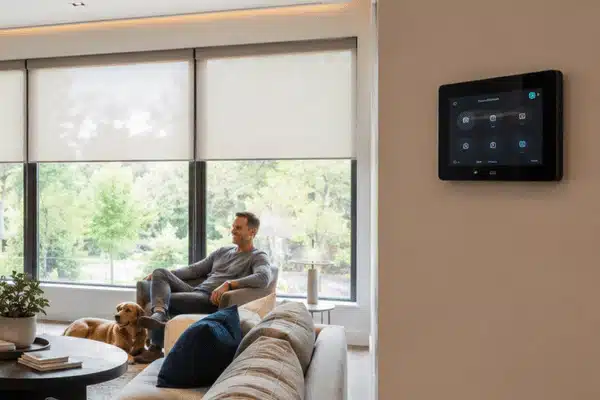
Most homeowners start a home automation system installation by buying a few smart devices. Then they buy a few more. Before long, they have five apps, three voice assistants, and a system that barely cooperates. Sound familiar?
A well-planned smart home automation installation is not a shopping spree. This is a design project. One that integrates your lighting, security, audio, video, temperature control, and network into a system that the entire household can utilize. According to Parks Associates, over two-thirds of American internet households now own at least one smart gadget. However, 52% of DIY users have setup or connectivity troubles. Professional home automation system design bridges the gap.
Table of Contents
What Home Automation System Installation Includes
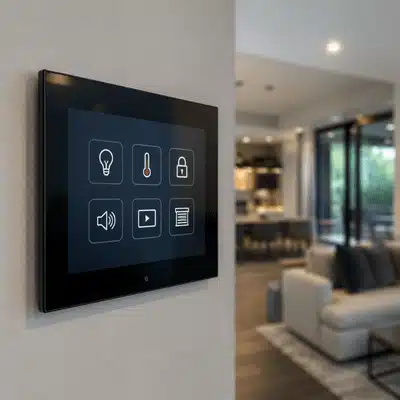
A complete home automation system installation involves numerous interconnected layers:
- Control experience: apps, keypads, touchscreens, or voice control.
- Ethernet, Wi-Fi, Thread, Zigbee, or Z-Wave
- Subsystems: lighting, shading, climate, security, cameras, audio, video, and energy.
- Programming: Scenes and routines based on how you live
When these layers are designed together, the result feels effortless. When they are added piece by piece without a plan, the result is usually frustration.
How to Choose the Right Smart Home Platform
The platform you choose shapes everything else. Here is what each option does best:
- Control4 is made for whole-home integration, expert support, and long-term service.
- Apple Home works best for Apple-focused homes looking for a clean and secure environment.
- For houses adding Matter devices and Nest subscribers, Google Home functions effectively.
- Amazon Alexa is compatible with a wide range of smart devices and fits Echo-centered setups.
- For seasoned users who want complete freedom and local control, Home Assistant is perfect.
For homeowners who want one polished, professionally supported system, Control4 smart home system design and installation is one of the strongest choices available. Control4 brings lighting, shades, music, security, and entertainment into one app. It works with more than 300 electronics brands and now supports Apple HomeKit and Siri through the X4 experience.
Smart Home Communication Standards Explained
Smart Home Communication Standards
Matter
A newer standard built on proven tech. Matter 1.5 now covers cameras, closures, and energy management, including EV charging.
Thread
A low-power mesh used for battery-operated devices, locks, and sensors. Wi-Fi alone is not sufficient; a Thread border router is also needed.
Zigbee
Zigbee is a proven technology. In dense networks, Zigbee 4.0 improves performance and strengthens security.
Z-Wave
Designed with home control in mind. Large properties, gates, and detached buildings are all covered by Z-Wave Long Range.
Wi-Fi 6/6E/7
Best for cameras, streaming, AV backhaul, and high-bandwidth devices.
Not all smart devices talk the same way. Here is what matters most:
- Matter: A newer standard built on proven tech. Matter 1.5 now covers cameras, closures, and energy management, including EV charging. It improves buying confidence and ecosystem flexibility.
- Thread: A low-power mesh used for battery-operated devices, locks, and sensors. Wi-Fi alone is not sufficient; a Thread border router is also needed. It is supported by Apple, Google, and Amazon.
- Zigbee is a proven technology. In dense networks, Zigbee 4.0 improves performance and strengthens security.
- Z-Wave: Designed with home control in mind. Large properties, gates, and detached buildings are all covered by Z-Wave Long Range. More than 100 million items have been sold globally.
- Wi-Fi 6/6E/7: Best for cameras, streaming, AV backhaul, and high-bandwidth devices.
A good home automation system design uses the right radio for each job, not Wi-Fi for everything.
The Home Automation Installation Process
Professional smart home installation is carried out in a systematic, stepwise manner. Here is what to anticipate:
- Discovery call (3–10 business days): lifestyle needs, priority rooms, and budget
- Site study and design (1-3 weeks): network auditing, device selection, drawings, and proposal
- Pre-wire and infrastructure (1-5 days): Ethernet runs, speaker wire, AP location, and camera paths
- Hardware installation (1-3 days for basic; 1-2+ weeks for whole-house): mounting, rack build, controllers, and AV endpoints.
- Scenes, scheduling, voice setting, remote access, and testing are all part of the programming and commissioning process (1-5 days).
- Training and Handover (1-2 visits): Homeowner walkthrough, routine refinement, and final handoff
At My Custom Integrators, our smart home installation process covers design, documentation, project management, programming, and ongoing customer support. That is the lifecycle model, not just a one-day install.
Pro tip: New construction and remodels are the easiest time to plan. But even existing homes can support a strong hybrid setup with selective hardwiring and well-placed wireless infrastructure.
Best Practices and Mistakes to Avoid
Start here:
- Create the network first. The foundation consists of organized low-voltage wire, Ethernet, and strategically positioned access points. Find out more about home wiring services and their importance.
- Select your platform before purchasing any gadgets.
- Not only rooms, but the settings centered around life events. Compared to “Living Room On,” “Arrive Home,” “Movie Night,” “Good Morning,” and “Vacation” are more practical.
Mistakes to avoid:
- Assuming all is handled by Wi-Fi. Border routers are required for thread devices.
- Combining too many ecosystems without a control plan.
- Avoiding network security planning and firmware updates.
- Treating assistance and instruction as optional.
NIST advises dividing IoT devices into distinct networks, utilizing multi-factor authentication, turning off functions that aren’t needed, and turning on automatic updates. Any home automation system installation should follow these wise guidelines.
Why Professional Integration Delivers Better Results
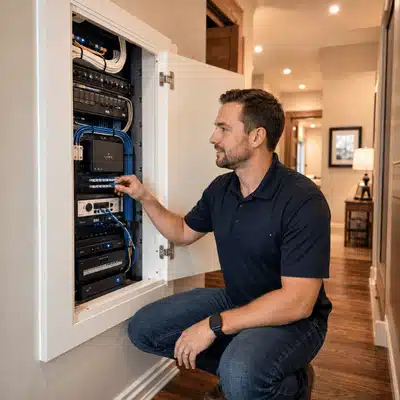
Parks Associates found that 29% of consumers end up hiring a professional even after trying DIY. Another 44% have used professional installation for at least one device. The reason is not complexity alone. It is reliability over time.
A professional smart home installation includes network design, proper cabling, in-house programming, and post-install support. Compare that to stacking consumer devices and hoping for the best.
For home theater design and installation or whole-house audio system design and installation, professional home automation system design is not optional. It is what makes the experience feel intentional instead of accidental.
A well-executed home automation system installation gives you a home that responds to how you live, not one that requires constant troubleshooting. That is the real value of getting it right from the start.
Ready to plan your system? Get a free consultation and find out what a professionally designed home automation system installation looks like for your home.
How long does a home automation system installation take?
Timeline depends on the scope and whether the home is new construction or a retrofit. A basic project may take one to two weeks from consultation to handover. Whole-home systems with structured wiring, AV, and full programming can take four to eight weeks or longer. Planning during a remodel or new build shortens the process significantly.
What is the difference between a smart home and a home automation system?
A smart home typically means a collection of connected devices. A home automation system is a designed, integrated platform where those devices work together through one control interface and respond to programmed routines. Home automation system design focuses on how everything fits together, not just whether individual devices are “smart.”
Does a smart house require wired connections?
For many devices, but not all of them. Ethernet works well with cameras, TVs, access points, and audio endpoints. Thread or Z-Wave can be used by sensors and locks that run on batteries. Reliability and flexibility are provided by a hybrid solution that combines careful wireless design with a reliable Ethernet backhaul.
What is Matter, and why does it matter?
Matter is a newer smart home standard built on IP-based technology. It improves interoperability between devices from different brands. Matter 1.5 now covers cameras, closures, and energy management. It makes buying decisions easier, but it does not replace the need for good network design, proper platform selection, or professional programming.
Can I expand my home automation system in the future?
Yes, and that’s made simple by a well-designed system. For instance, Control4 supports over 300 brands. Documentation and an extension strategy are essential components of a well-designed home automation system so that future updates complement rather than conflict with the current infrastructure.
What kind of continuing assistance is required after installation?
Firmware updates, network monitoring, and sporadic scene modifications as your home evolves are at the very least necessary. A lot of integrators provide service packages that include priority assistance, software updates, and remote diagnostics. Manufacturer-backed remote help is offered by Control4 Assist programs. Consider it your car’s maintenance schedule. The system is an investment that requires upkeep to function properly.
A well-executed home automation system installation gives you a home that feels easier to use, more comfortable, and better connected from the start. My Custom Integrators is a certified Control4 Pinnacle dealer with experience designing and installing smart home systems, AV systems, lighting control, home surveillance, climate control, motorized shades, home theaters, whole-house audio, and outdoor entertainment. With custom design, in-house installation, programming, homeowner training, and long-term support, their team helps create a system that fits your home instead of forcing your home to fit the technology.
Stop dealing with disconnected apps, unreliable devices, and smart home features that do not work together. Schedule a free consultation with My Custom Integrators to plan a custom Control4 home automation system designed around your layout, lifestyle, security needs, entertainment setup, and long-term upgrade plans.