
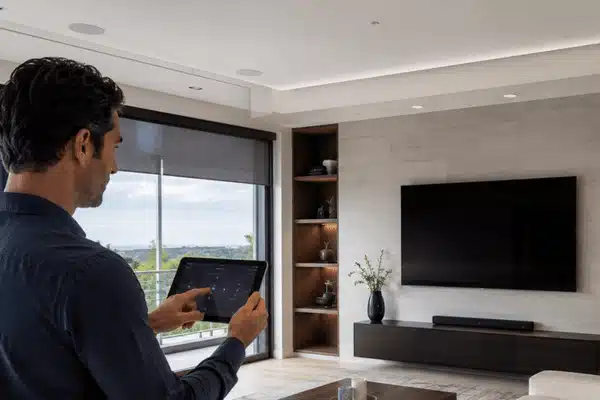
A Control4 home automation system brings lights, security, audio, video, climate, shades, and smart devices into one control setup. You can use an app, remote, keypad, touchscreen, or voice command to manage your home.
For many homeowners, the main value is simple control. Instead of using five apps and three remotes, Control4 lets your home work as one system. This guide explains costs, setup, lighting, TV, sound, apps, and device support in clear terms.
Table of Contents
What Is a Control4 Home Automation System?
A Control4 home automation system is a professionally installed smart home platform. It connects many parts of your home into one system.
It can control:
- Lights and dimmers
- Thermostats
- Motorized shades
- Door locks and gates
- Security cameras
- Home theater gear
- Whole-home audio
- Garage doors
- Voice control
The main benefit is one simple control path. A “Movie Night” scene can dim the lights, lower the shades, turn on the TV, and set the sound. A “Goodnight” scene can turn off lights, lock doors, and adjust the thermostat.
Custom Integrators designs and installs Control4 systems for Central Texas homes. Their team also supports home theaters, audio, lighting, security, wiring, and smart home automation installation.
What Is the Average Cost of a Control4 Setup?
Control4 pricing depends on your home, rooms, wiring, devices, and goals. Control4 states that a one-room solution can start around $1,000. That does not mean every project costs that amount.
A larger home can cost much more because it needs more hardware, labor, wiring, and programming.
| Project Type | Common Cost Factors |
| One-room setup | Controller, remote, TV control, basic lighting |
| Main living area | Lighting, audio, TV, shades, thermostat |
| Whole-home setup | Multiple rooms, rack gear, wiring, network, security |
| Luxury system | Lighting scenes, many zones, pool, gate, theater, shades |
The best step is to get a written quote from a home automation integrator. A good quote should list equipment, labor, wiring, programming, and support.
How Do You Set Up Control4 Lighting Control?
Smart dimmers, switches, keypads, sensors, or panelized lighting are all used in Control4 lighting control. The wiring should be done by a qualified installation or registered electrician.
Typical configurations consist of:
- Examining every room and circuit
- Selecting keypads, switches, or dimmers
- Setting up the appropriate lighting gear
- Linking the Control4 system to lighting
- Programming scenes and schedules
- Testing every switch, keypad, and app command
After setup, you can control lights from a wall keypad, app, remote, or touchscreen. You can also create scenes for daily use.
For example, one button can turn off the kitchen lights, lower the shades, and play music in the living room.
How Do You Choose a TV and Sound System That Can Grow?
How Do You Choose a TV and Sound System?
TV Locations
Select the rooms that require screens and determine the best viewing positions.
Audio Zones
Choose the areas where music, television audio, or other content should play.
Media Sources
Plan for streaming devices, cable boxes, gaming consoles, and media players.
Network Strength
Use wired network connections whenever feasible for stable, reliable performance.
Equipment Rack
Keep receivers, amplifiers, and other equipment cool, clean, and serviceable.
Simple Controls
Combine power, volume, inputs, and entertainment scenes into one interface.
Consider your current lifestyle and potential future additions when making your TV and audio plans. One media room now and many in the future can be supported by a solid design.
Start by looking at these sections:
TV locations: Select the rooms that require screens.
Audio zones: Select the audio zones in which music should be played.
Sources: Make plans for media players, gaming consoles, streaming, and cable.
Network strength: Whenever feasible, use a wired network.
Rack space: Keep equipment cool, clean, and serviceable.
Power, volume, inputs, and scenes can all be controlled with a single remote or app.
TVs, speakers, streaming gadgets, lighting, and receivers can all be controlled with Control4. Your technician may add video switches, extenders, and appropriate wiring to enable 4K video in numerous rooms.
How Does the Central Controller Work?
The central controller is the brain of a Control4 smart home system. It runs the software that tells each device what to do.
A Control4 CORE controller can connect through Ethernet and may support radios such as Zigbee or Z-Wave, depending on the model. The controller also works with drivers, which help Control4 talk to supported third-party devices.
When you tap a button, the controller sends the command. It can turn on lights, set the thermostat, start music, unlock a door, or run a full scene.
If the internet goes down, many local controls can still work through the controller. Remote access, cloud services, and some voice features may need the internet.
How Do High-End Systems Differ From Standard Ones?
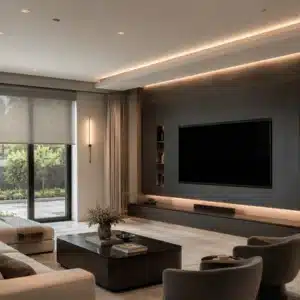
High-end smart home systems are planned, installed, and tested as one full setup. Standard DIY systems often depend on separate apps and basic device links.
A premium setup may include:
- Custom design for your home layout
- Cleaner wiring and rack setup
- Better TV and audio control
- More room-by-room control
- Professional programming
- Long-term service and support
- More stable whole-home use
This is where a home automation integrator matters. The installer checks wiring, device support, network strength, and how your family will use the system each day.
Can You Use Devices Interchangeably?
Yes, many devices can work with Control4. But not every smart device works the same way.
Control4 uses drivers to connect with supported products. These may include lights, locks, shades, speakers, thermostats, cameras, and AV gear from many brands.
Matter may help some smart home devices work across major platforms. Still, your installer should check support before you buy. Some devices need a certified driver. Others may have limited control.
Control4 remotes, keypads, and touchscreens are made for Control4 systems. They are not general DIY hub devices.
Smart Home App and Management
The Control4 app lets you manage your home from a phone or tablet. You can control lighting, music, climate, shades, locks, cameras, and scenes from one screen.
Newer systems use Control4 Connect. Control4 says Connect replaced 4Sight for systems installed after April 23, 2024. Older systems may still use 4Sight.
Control4 X4 also added a redesigned mobile app, a new home screen, routines, and deeper Apple support. Ask your installer which controller, app version, and service plan fit your home.
Smart Home Trends to Know
Better control, security, and energy efficiency are all goals of smart homes. When designing a new system, certain trends are important:
- Energy savings: Thermostats, lighting, and shades help cut down on waste.
- Improved app control: Rooms and scenes are easier to utilize with newer apps.
- Voice control: Hands-free control can be added with Apple features, Google Assistant, and Alexa.
- Device support: Matter can make certain devices compatible with a wider range of systems.
- Wellness features: Comfort can be enhanced by lighting, shade management, and air quality.
- Smarter security: Cameras, gates, locks, and alerts can work from one app.
The Consumer Technology Association has also highlighted smart home, AI, energy, and security as major areas at CES.
Is Control4 hard to install myself?
Yes. Control4 is not a normal DIY smart home hub. It needs a trained installer for design, wiring, device setup, and programming. The daily controls are easy once the system is installed.
How long does a Control4 installation take?
A small room setup may take a few days after parts are ready. Whole-home projects can take longer, especially with wiring, lighting, audio, and security. Your installer should give you a clear schedule before work starts.
Is Control4 compatible with Google and Alexa?
Indeed, Control4 is compatible with voice control tools like Google Assistant and Alexa. Your system, drivers, and service plan all affect support. Before the project is completed, your installer should test voice scenes.
Can I subsequently add extra rooms?
Indeed. Over time, Control4 may expand. You can add more rooms, cameras, blinds, or audio zones later on, after starting with a living room, theater, or lighting area.
Will my system still work if the internet goes down?
Many local controls can still work through the Control4 controller. Lights, keypads, and some scenes may continue to work. Remote access, app control away from home, and some voice features may need internet.
Why should I hire a home automation integrator?
A home automation integrator designs the system around your wiring, network, rooms, and daily habits. This helps reduce setup problems and device conflicts. It also gives you one team to call for updates, repairs, and future changes.
A Control4 system can make your home easier to control, safer, and more comfortable. The right setup depends on your rooms, budget, wiring, and devices. For a clean smart home automation installation in Central Texas, contact Custom Integrators to book a consultation and get a quote.