
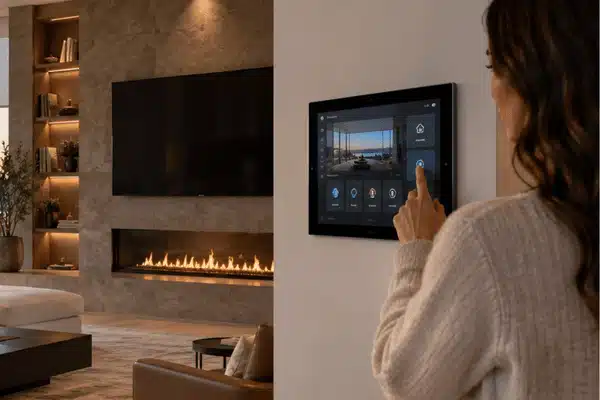
Choosing between Control4 and Crestron is not always easy. Both can manage lighting, music, TVs, climate, shades, and security from one place. The better choice depends on how large your home is, what you want to control, and how much custom work the system needs.
Control4 tends to suit homeowners who want a flexible system that works with many brands. Crestron is often used for larger homes and projects that need more custom programming.
Table of Contents
What Is Control4?
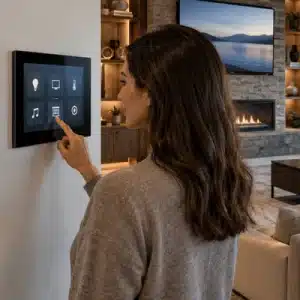
Control4 brings different smart home products together under one system. Instead of opening several apps, homeowners can control lights, music, TVs, thermostats, shades, and security from one place.
Control4 says its system works with more than 25,000 third-party devices. Its X4 software also supports Apple HomeKit, Siri, CarPlay, widgets, and custom Routines.
You can control the home through an app, remote, touchscreen, keypad, or voice command. The exact setup depends on the products installed in the house.
The processing happens on a Control4 controller, and the model chosen sets the ceiling for the system. The current CORE series splits into three tiers: CORE 1 handles 2 independent zones of high-resolution audio and is aimed at smaller systems, CORE 3 handles 4 zones for medium homes, and CORE 5 handles 7 zones for larger installs.
It is also worth budgeting for the software side. Control4 Connect is a subscription that covers remote access from the app, the Apple HomeKit, Apple Watch, and CarPlay features, push notifications, voice control through Alexa, Google Assistant, and Siri, software updates, system backups, and system insight reports. Control4 Assist adds remote support and comes in a standard and a premium level.
Custom Integrators installs Control4 smart home automation throughout Central Texas. Our team has worked with local homeowners since 2009 and holds Control4 Pinnacle Status Dealer recognition.
Control4 vs Crestron: What Is the Difference?
The biggest Control4 vs Crestron difference is how each system is built around the home.
Control4 works well for homes that need strong automation without building every control from scratch. Crestron gives installers more room to create highly customized systems for large or complex properties.
| Feature | Control4 | Crestron |
| Best suited for | Custom and luxury homes | Large or highly custom projects |
| Installation | Professional dealer | Professional dealer |
| Device support | 25,000+ third-party devices | Broad professional device support |
| Controls | App, remote, keypad, touchscreen, voice | App, remote, keypad, touchscreen, voice |
| Custom programming | Strong | Very deep |
| Expansion | Easy to grow over time | Built for large systems |
Crestron can manage homes with many rooms, lighting loads, shades, and AV zones. That makes it a strong option for estates where nearly every part of the system needs custom control.
Crestron publishes recommended system sizes, which is a useful way to picture the scale it is built for. A single CP4-R processor running Crestron Home is rated for roughly 100 rooms, 500 lighting loads, 100 Crestron audio zones, 32 video zones, 120 keypads, 24 touch screens, and 100 thermostats. The smaller MC4-R processor is rated for about 200 lighting loads, 56 audio zones, and 16 video zones. When one parent processor is paired with up to ten child processors, the combined system is rated for about 1,000 lighting loads and 100 audio and 40 video zones. Crestron notes these are recommendations rather than hard limits.
The programming approach is the other real difference. Crestron Home is a guided setup platform, but Crestron also ships SIMPL integration modules, so a 4-Series processor running custom SIMPL code can talk to a Crestron Home processor.
That gives a programmer a route to build behavior that the standard interface does not cover, which is why Crestron shows up on estates, marine projects, and homes with unusual requirements. Crestron Home OS 4.10 was released on March 31, 2026, and versions from 4.11 onward move to the Configure Pro setup software.
Control4 takes a more standard approach. It still allows custom scenes and Routines, but many homeowners find it easier to expand without changing the whole system. Control4 dealers program in Composer Pro, and homeowners can now build and schedule their own Routines from the app, which cuts down on service calls for small changes.
Control4 vs Savant
The Control4 vs Savant comparison has changed in recent years.
Savant is known for its clean interface, Apple support, and home energy tools. Its energy products can track power use and give homeowners more control over certain circuits.
The energy side is where Savant is genuinely different. Savant Power Storage pairs a 20 kWh battery with a 12.5 kW inverter in each unit, and up to ten units can be combined for 200 kWh of storage and 125 kW of output. It supports electrical services from 200A up to 800A, so a homeowner can back up selected circuits or the whole house, and it can shift between utility power, solar, and stored energy to trim peak costs.
The systems carry a 10-year warranty and can take part in virtual power plant programs. If whole-home energy management is a priority, that is a real point of separation.
Control4 has also added stronger Apple support. X4 works with HomeKit, Siri, and CarPlay, so Apple users are no longer limited to Savant when comparing high-end systems.
The better choice often depends on the devices already in the home. It also helps to compare lighting, AV, security, energy use, and future plans before deciding.
Control4 vs Lutron
The Control4 vs Lutron comparison is a little different.
Lutron is mainly known for lighting and motorized shades. HomeWorks can manage dimming, tunable white lighting, and shade movement based on the sun’s calculated position.
Lutron sells three residential tiers, and the gap between them is large. Caséta supports up to 75 devices with about 2,500 square feet of RF coverage and can be set up by the homeowner. RadioRA 3 supports up to 400 devices across roughly 7,500 square feet and is programmed by a professional.
HomeWorks QSX supports up to 10,000 zones using one processor plus as many as 15 additional processors or gateways, with RF coverage up to 50,000 square feet, and it must be programmed by a qualified Lutron Pro installer using Lutron Designer. RadioRA 3 and HomeWorks QSX share the same shade families, including Sivoia QS Triathlon, Sivoia QS and Palladiom, and Palladiom wire-free.
Control4 covers lighting, too, but its main role is broader. It can connect lighting with music, TVs, climate, locks, cameras, and other systems.
That is why many homes use both. Lutron can handle the lights and shades while Control4 manages the rest of the smart home.
Control4 Pricing in 2026
There is no flat Control4 pricing package that works for every house. The cost depends on what is being installed and how much work the project requires.
Several things can affect the final quote:
- Number of rooms being automated
- Smart lighting and keypad count
- Motorized shades
- Whole-home music
- TV and video distribution
- Cameras, locks, alarms, and gates
- Network upgrades
- Wiring and equipment racks
- Programming and setup
A system for one media room will cost far less than a full-home project with lighting, audio, shades, security, and climate control.
For that reason, broad online price ranges can be misleading. A site visit gives an installer a better idea of what the home actually needs.
Other Control4 Competitors
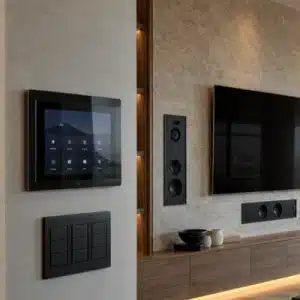
There are several other Control4 competitors worth knowing about.
Josh.ai focuses heavily on voice control and privacy. Nice/ELAN offers professional home control for AV, lighting, climate, and security. RTI is also used for custom AV and home control projects.
Josh.ai runs most control locally but still needs an internet connection to work, and its JoshGPT layer adds conversational answers on top of home control. The line includes Josh Micro, Nano, Core, One, and Edge hardware, and it integrates with professional products including Lutron and Sonos, so it is often added to an existing system rather than replacing it.
Nice/ELAN now runs ELAN OS 9, shown alongside Yubii OS integration at ISE 2026, after taking a Best of Show award at CEDIA 2025. RTI programs its systems in Integration Designer 11 and is most often specified where custom AV control panels are the priority.
Each system has its own strengths. The best choice depends on what needs to work together and how much control the homeowner wants.
Which System Fits Your Home?
There is no single system that makes sense for every property.
Control4 is a strong fit when you want broad device support and one simple way to run the home.
Crestron makes more sense when the project is very large or needs a high level of custom programming.
Savant may appeal to homeowners who like its interface, Apple features, and energy tools.
Lutron remains a strong choice when lighting and motorized shades are the main focus.
Some homes use more than one system. A common setup pairs Lutron lighting with Control4 for whole-home control.
The installer matters too. Good network design, wiring, programming, and support can affect the system just as much as the brand.
Is Control4 better than Crestron?
Control4 works well for many custom homes because it supports a large range of devices. Crestron is often chosen for bigger projects with more custom needs. The better option depends on the size and scope of the job.
How much does Control4 cost?
There is no set price for a complete Control4 system. Cost changes based on rooms, lighting, shades, AV, security, wiring, and programming. A home visit is the best way to get a useful quote.
How does Control4 compare to Savant?
Both systems can manage lighting, AV, climate, and other smart home products. Savant puts more focus on energy tools and has strong Apple support. Control4 X4 now supports HomeKit, Siri, and CarPlay as well.
Can Control4 work with Lutron lighting?
Yes. Control4 can work with supported Lutron lighting systems. Many homeowners use Lutron for lighting and shades, while Control4 handles the wider home system.
Does Control4 support voice control?
Yes. Control4 can work with Siri, Alexa, and Google Assistant. Available commands depend on the products and services used in the home.
How long does a Control4 installation take?
It depends on the size of the job. A smaller project may only need a few days, while a large, whole-home system can take much longer. Wiring, equipment, and programming all affect the schedule.
Control4, Crestron, Savant, and Lutron all serve different types of homes. The best choice depends on what you want to control now and what you may add later. Schedule a free estimate with Custom Integrators to compare your options and plan a system that fits your Central Texas home.